Why most scanners fail on Indian cards
Standard business card scanners are trained primarily on English and other Latin-script languages. When they hit a card printed in Hindi, Gujarati, Tamil, or Bengali, three things tend to go wrong:
- The script is dropped entirely. The scanner sees characters it doesn’t recognise and simply skips them, leaving blank fields.
- It guesses wrong. Regional characters get “corrected” into nonsense Latin letters, so a name comes out as gibberish.
- Mixed-script confusion. A single card with both English and a regional language confuses the engine, and it picks one and ignores the other.
The result is the same: you re-type the card by hand, which is exactly what you were trying to avoid.

What “good” looks like for a multilingual scan
A scanner built for Indian cards should do three things well:
- Recognise the script natively — not transliterate it blindly, but actually read the regional characters.
- Preserve the original script — keep the name in its native form alongside an English version, so nothing is lost.
- Handle mixed-language cards — read English and a regional language on the same card without choosing one over the other.
The languages Cardenius supports
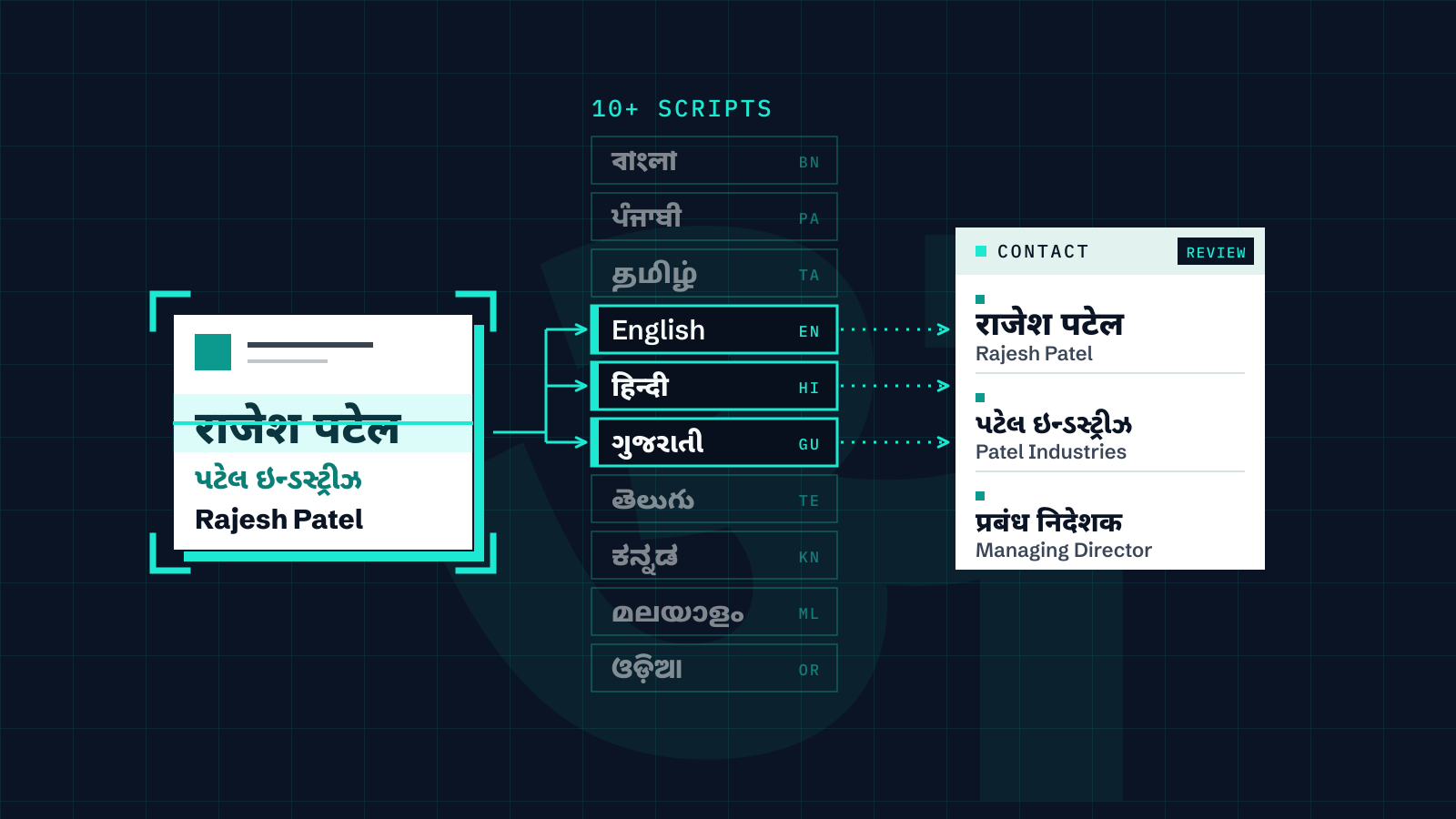
Cardenius is built to read cards across 100+ languages, and that includes deep support for 10+ Indian scripts on the same card:
- English
- हिन्दीHindi
- ગુજરાતીGujarati
- বাংলাBengali
- ਪੰਜਾਬੀPunjabi
- தமிழ்Tamil
- తెలుగుTelugu
- ಕನ್ನಡKannada
- മലയാളംMalayalam
- ଓଡ଼ିଆOdia
It handles cards where English, Hindi, and Gujarati appear together, and stores the native-script name, company, designation, and address alongside their English versions — so a single contact is searchable in both languages. If most of your cards come from Indian business contacts, the visiting card scanner guide for Indian businesses covers the wider workflow.
How to scan a regional-language card, step by step
1. Capture in good light
Regional scripts have fine strokes and conjunct characters, so a sharp, well-lit photo matters more than with plain English. Lay the card on a flat, contrasting surface, avoid shadows from your hand, and line the card up inside the on-screen frame before you capture. If the card has a back, capture it too — addresses and regional text often live there.
2. Let the AI do the first pass
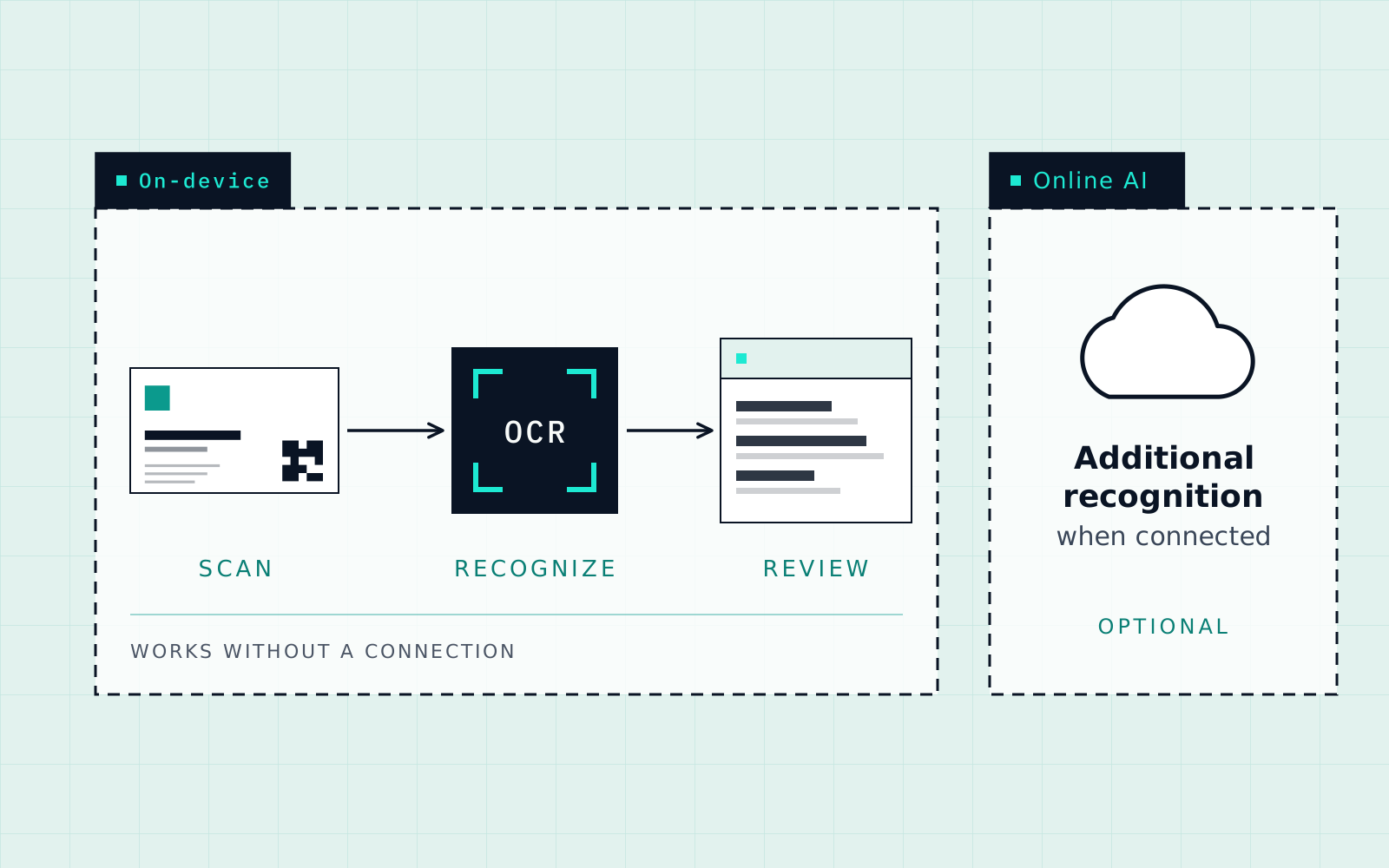
Cardenius extracts printed details from Indian-script and mixed-language cards. On-device recognition can work offline; check your own cards rather than assuming exact offline script coverage. When connectivity is available, online AI recognition can provide an additional option. The offline scanning guide explains what needs a connection.
3. Review the extracted fields
This step is not optional with any scanner, and especially not with multilingual cards. Cardenius shows the extracted fields so you can review and correct them before saving. Glance at the name, phone, and company — correct anything that looks off. Reviewing helps catch a wrong number before you use it.

4. Save — with the native script kept
When you save, the original script is stored next to the English version. Later you can search for the contact by typing in either language, and the name displays the way it was actually printed on the card.
Key takeaways
- Generic scanners drop or mangle regional scripts — they’re built for English.
- A good multilingual scan recognises the script, preserves it, and handles mixed-language cards.
- Cardenius supports 10+ Indian scripts plus 100+ languages, and stores native script alongside English.
- Always review the extracted fields before saving — it helps catch errors.
Frequently asked questions
Can it read a card with both English and Hindi?
Yes. Mixed-language cards are common in India, and Cardenius is designed to read both scripts on the same card rather than picking one.
Does it work without internet?
On-device recognition runs without a connection, so you can scan anywhere. Additional AI recognition is available when you’re online. The offline scanning guide explains what needs a connection and what doesn’t.
Will the regional name be searchable later?
Yes. The native script is stored alongside the English version, and search matches either language.
Is scanning Indian-language cards free?
Within the Free plan, yes. 100+ languages are included, with up to 5 AI scans a day and up to 50 contacts. Premium removes the scan and contact limits.
What if a field is read incorrectly?
Cardenius shows the extracted fields so you can review and correct them before saving. Fix the field on that screen. No scanner reads every card perfectly, which is why the review step exists.