Why visiting cards pile up
A visiting card is handed over in the middle of something else: a price discussion, a stall visit, a quick introduction at someone’s office. You put it in a pocket, a wallet or a bag, and the follow-up depends on remembering that it is there.
A week later there are cards in three places, two of them smudged, and one belongs to someone you cannot place. Digitizing them helps organize the details. The workflow below also helps with follow-up.
What a scanner has to handle on Indian cards
Cards in India tend to carry more than a simple name and number:
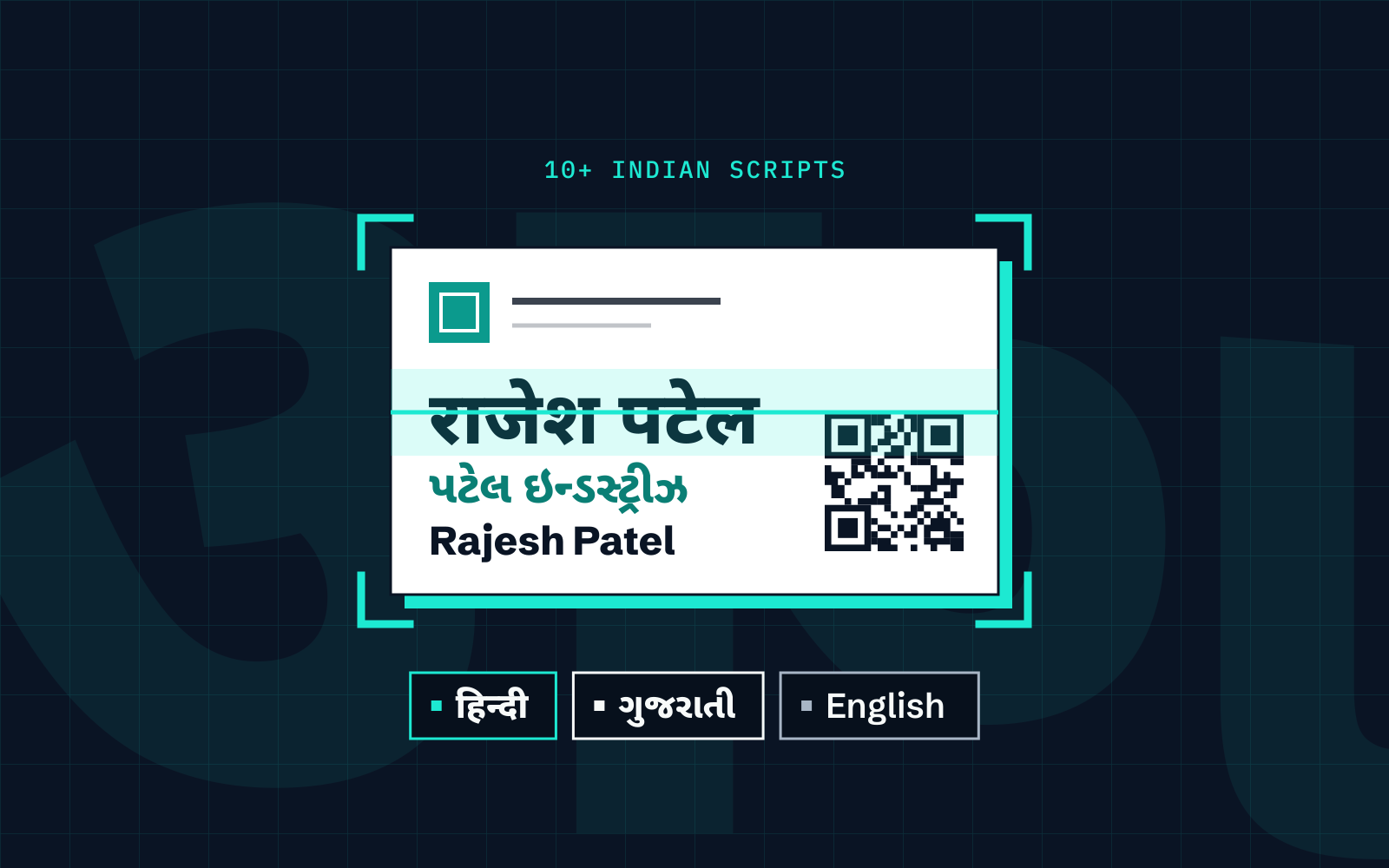
- More than one script. A card may print the name in Hindi or Gujarati and in English, sometimes with the address in both.
- Several phone numbers. A mobile, a landline and a separate WhatsApp number can sit on the same card, with and without the country code.
- Long company names and roles. Partnership firms, multiple designations and product lines compete for space.
- Dense addresses. Area names, landmarks and pincodes pack into a few lines.
Cardenius reads 100+ languages, including 10+ Indian scripts alongside English on the same card. The multilingual scanning guide explains how to capture and review those cards. Whatever the scanner, plan on reviewing the phone numbers every time.

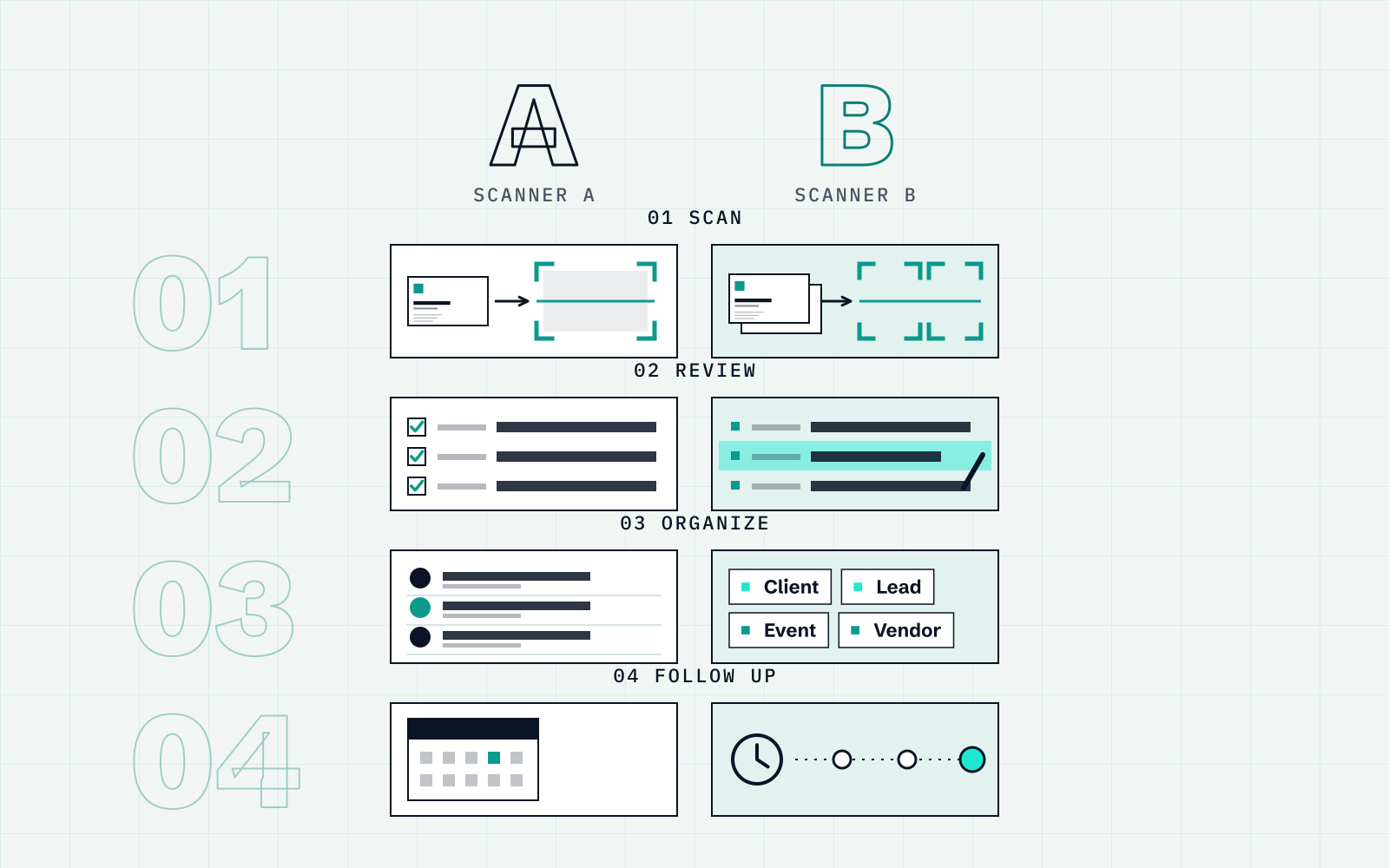
The workflow: scan, review, organize, follow up
1. Scan
Scan each card as soon as you can, ideally before you leave the conversation. Lay it flat in good light and line it up in the frame. If the back of the card has details, capture that as well.
2. Review
Cardenius shows the extracted fields so you can review and correct them before saving. Check the mobile number and email first. Look at the country code, and at whether the right number is in the right field.
3. Organize
Put each contact in a category and add a short note. The Free plan includes 3 categories, which fits a simple split such as customers, dealers and suppliers. Tags add a second layer, so a dealer can also be tagged with a city or an event. The guide to organizing hundreds of cards has a tagging scheme that scales.
4. Follow up
WhatsApp is one way to follow up after a meeting. Cardenius supports WhatsApp sharing on the Free plan, and custom WhatsApp templates on Premium. Set a reminder for the follow-up that matters, with the Free plan covering 3 reminders at a time. A lead pipeline and notes with interaction history help you remember what was discussed. For sending your own card, see how to share your business card on WhatsApp.
How it plays out in different situations
Sales meetings
Scan the client’s card before you leave the room, add a note about what they asked for, and set a reminder for the follow-up. Premium includes Meeting Mode for people who run many meetings.
Offices and front desks
Visitors leave cards at reception and nobody records them. One person scanning at the end of the day turns that drawer into a contact list. Export it as CSV or Excel for the team, or as vCard for phones.
Trade fairs and exhibitions
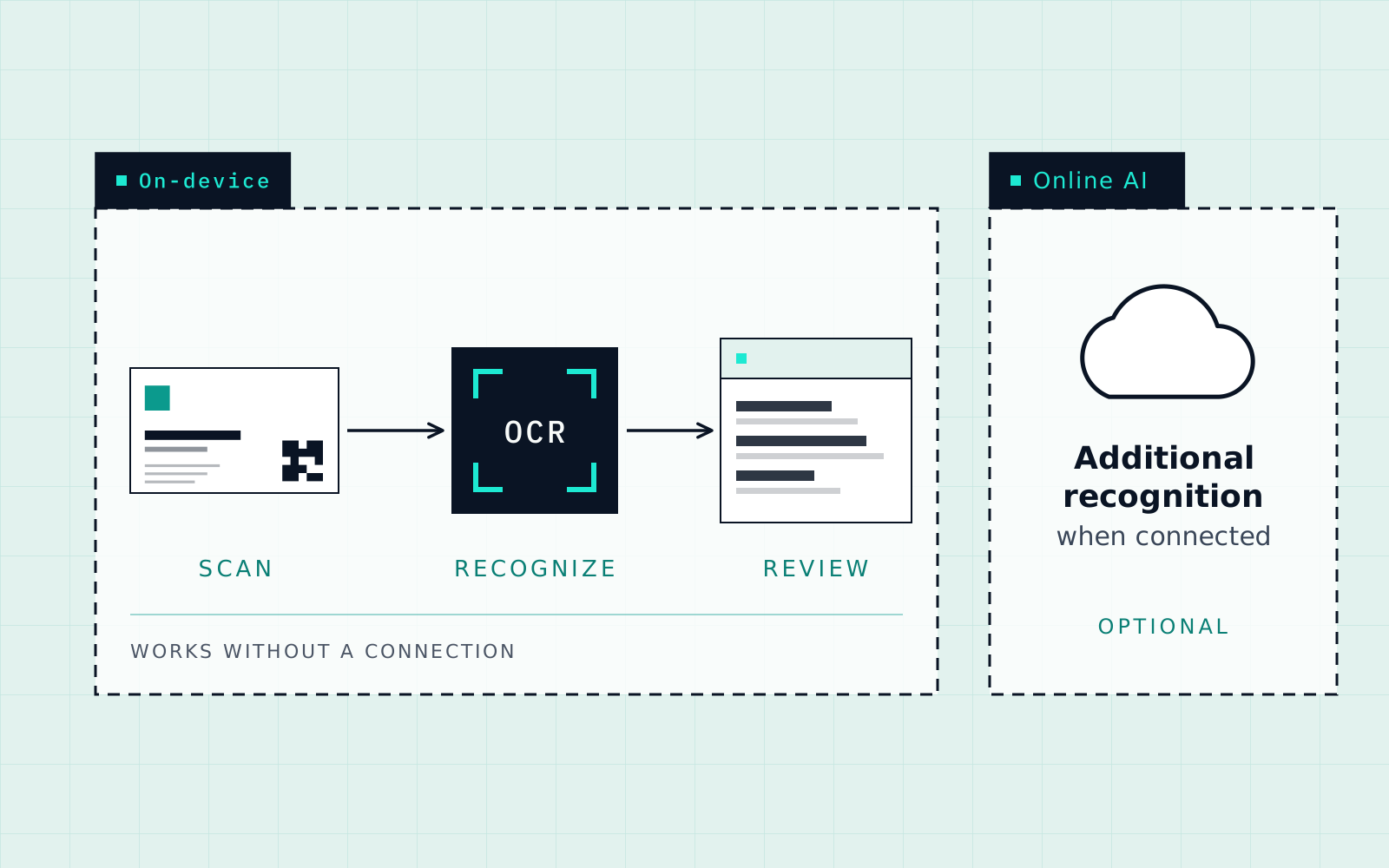
The volume is the problem: dozens of cards a day, bad signal, and no time to type. Premium includes Event Mode and Batch Scan for this. On the Free plan, up to 50 contacts and 5 AI scans a day will not cover a busy stall. Scanning also works without a connection through on-device recognition, as the offline guide explains.
Networking events
Add a note straight after each conversation, because by the evening the faces and the conversations have blurred. One line about what you discussed is enough.
Field sales
Visits across a city produce cards in many places. Notes after each visit and a category per customer type keep the list usable. Premium includes Map / Nearby for sales teams who want location in the picture.
Habits for a team
When several people collect cards, agree a few rules so the list stays usable:
- One set of categories. Decide what the three categories on the Free plan mean, and use them the same way.
- One tag convention. Tag by event and year, so that “who did we meet at the expo” has a single answer.
- A notes habit. One line about what was discussed, written the same day.
- A shared export. Export saved contacts as CSV or Excel when a colleague needs the list.
Common mistakes
- Scanning without reviewing. A card scanned and never checked is a wrong number waiting to happen.
- Letting the stack grow. A small batch is easier to review than a pile left for later.
- Too many categories. Three clear groups beat a dozen vague ones.
- No follow-up date. A contact with no reminder can be easier to overlook.
A first week
Start with the cards you already have. On day one, scan whatever is in your bag and drawer, and review every field. On day two, set up your categories and tag the people you most want to contact. For the rest of the week, scan new cards the same day you receive them and add a note. By Friday you will have a working list rather than a stack.
Which plan covers what
| Need | Free | Premium |
|---|---|---|
| Saved contacts | Up to 50 | Unlimited |
| AI scans | 5 a day | Unlimited |
| Events | Manual scanning | Event Mode, Batch Scan |
| Safekeeping | No saved-contact export | Encrypted cloud backup |
There is also a 15-day trial with no credit card, with a maximum of 50 contacts or cards during the trial.
Key takeaways
- Visiting cards in India often carry several scripts and several phone numbers. Review both before saving.
- Work in four steps: scan, review, organize, follow up.
- A category, a tag and a one-line note per contact make a contact list searchable later.
- For trade fairs, Free covers up to 50 contacts. Premium adds Event Mode and Batch Scan.
Frequently asked questions
Can Cardenius read visiting cards in Hindi and Gujarati?
Yes. Cardenius reads 100+ languages, including 10+ Indian scripts alongside English on the same card. Review the extracted fields before saving.
How many cards can I scan for free?
The Free plan includes up to 50 contacts and 5 AI scans a day. Premium has unlimited contacts and scans.
Is there a mode for trade fairs?
Premium includes Event Mode and Batch Scan, designed for events where you collect many cards.
Does it work when the network is weak at a fair?
Cardenius includes on-device recognition that does not need a connection. Features such as sending messages on WhatsApp need one.
Can I move my contacts to Excel?
Yes. Saved contacts export as CSV, Excel or vCard.